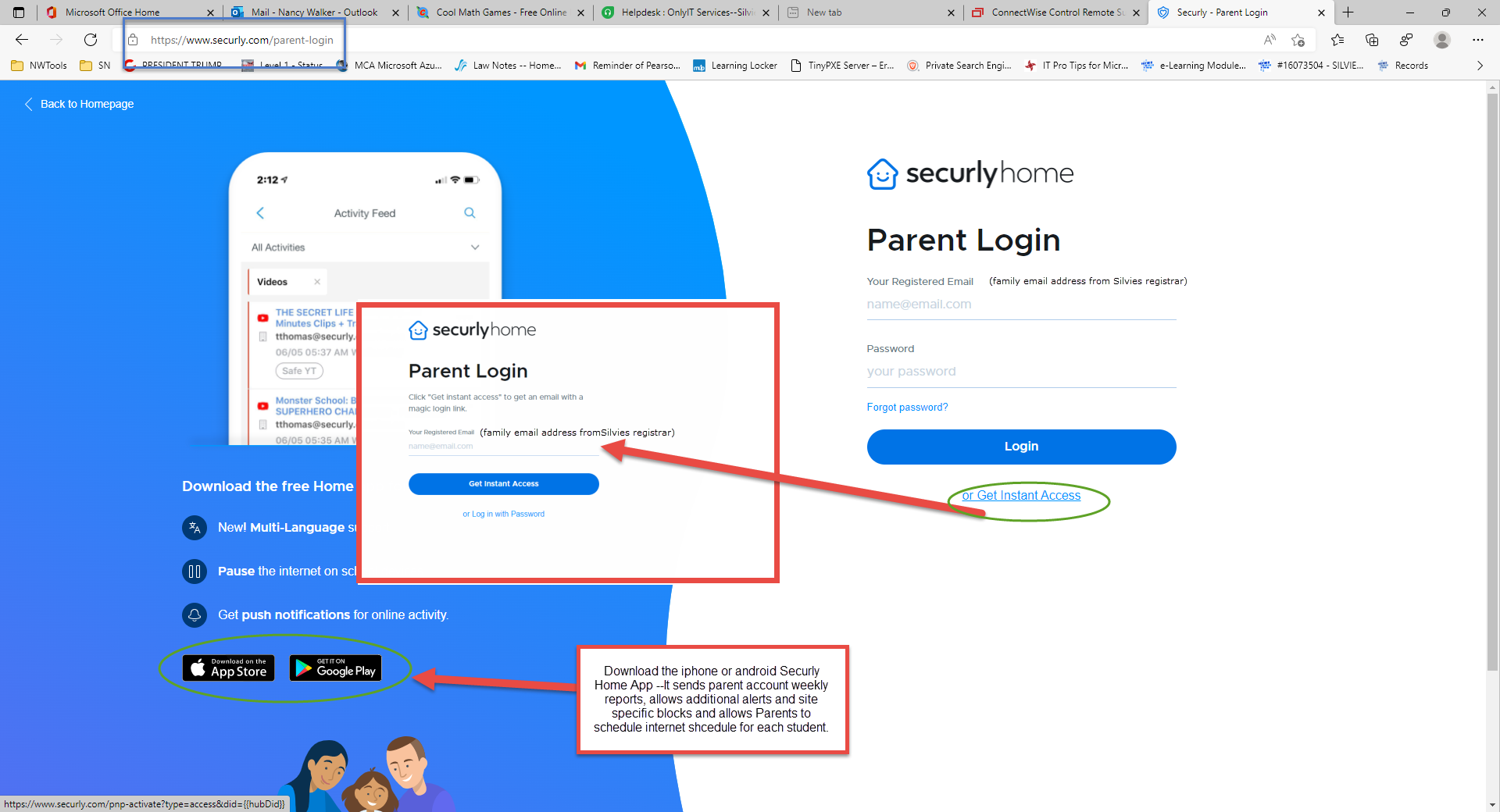
Securly is our internet content filtering software for student internet browsing. We have set up a Securly Parent Portal for Silvies students and parents. If you would like to get a parent account started right away, please visit www.securly.com/parent-login and set up your account using the family email set up with the school's registrar. Note this is the email address you provided for parent/teacher correspondence. Please watch the Parent Portal by Securly video for a brief overview and submit a service desk ticket if you would like additional assistance:
Parent Securly portal www.securly.com/parent-login
Also see: How to use Securly Home app or watch Securly Home | Getting Started Guide for Parents
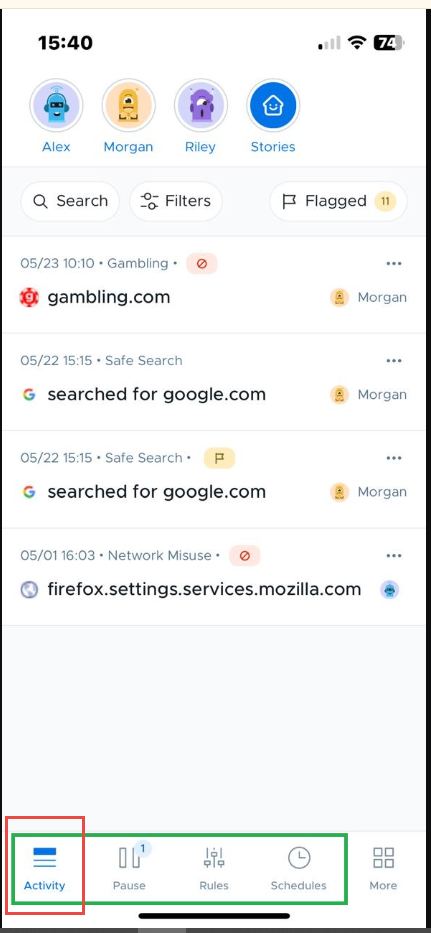
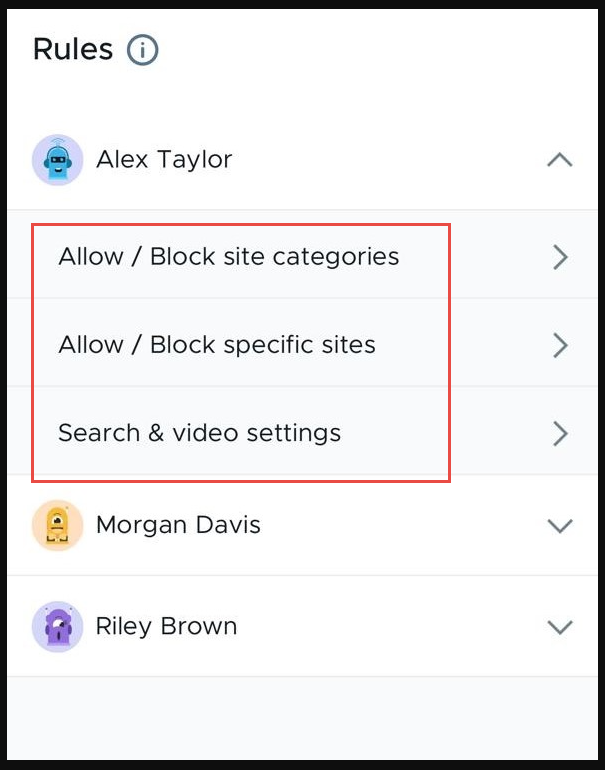
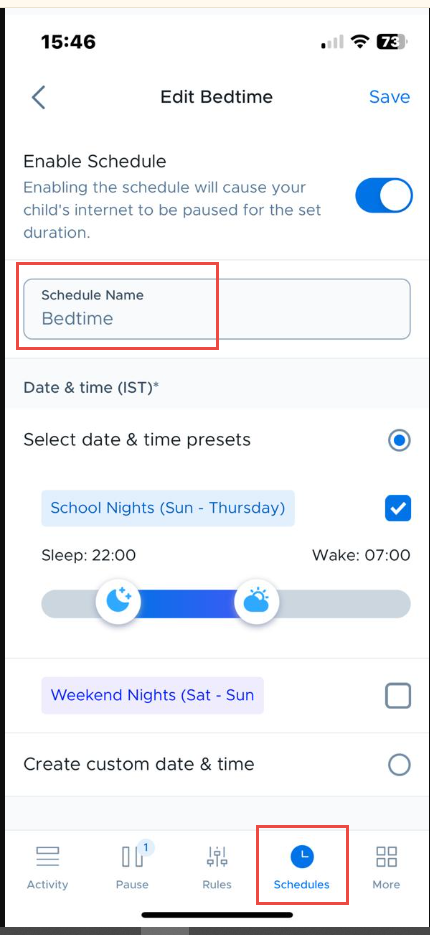
Parent settings override school settings and are configured to allow parents to set additional restrictions. Check below pictures or visit How to use the Securly Home app. (Schedules feature available exclusively on Securly mobile app):
Check Activity:
Block Categories or Website (Rules):
Set Schedules:
Contact support@silviesrcs.org or text Nancy at OnlyIT (541) 408-6780 if you need additional assistance.
Was this article helpful?
That’s Great!
Thank you for your feedback
Sorry! We couldn't be helpful
Thank you for your feedback
Feedback sent
We appreciate your effort and will try to fix the article